Configuration
Configuration
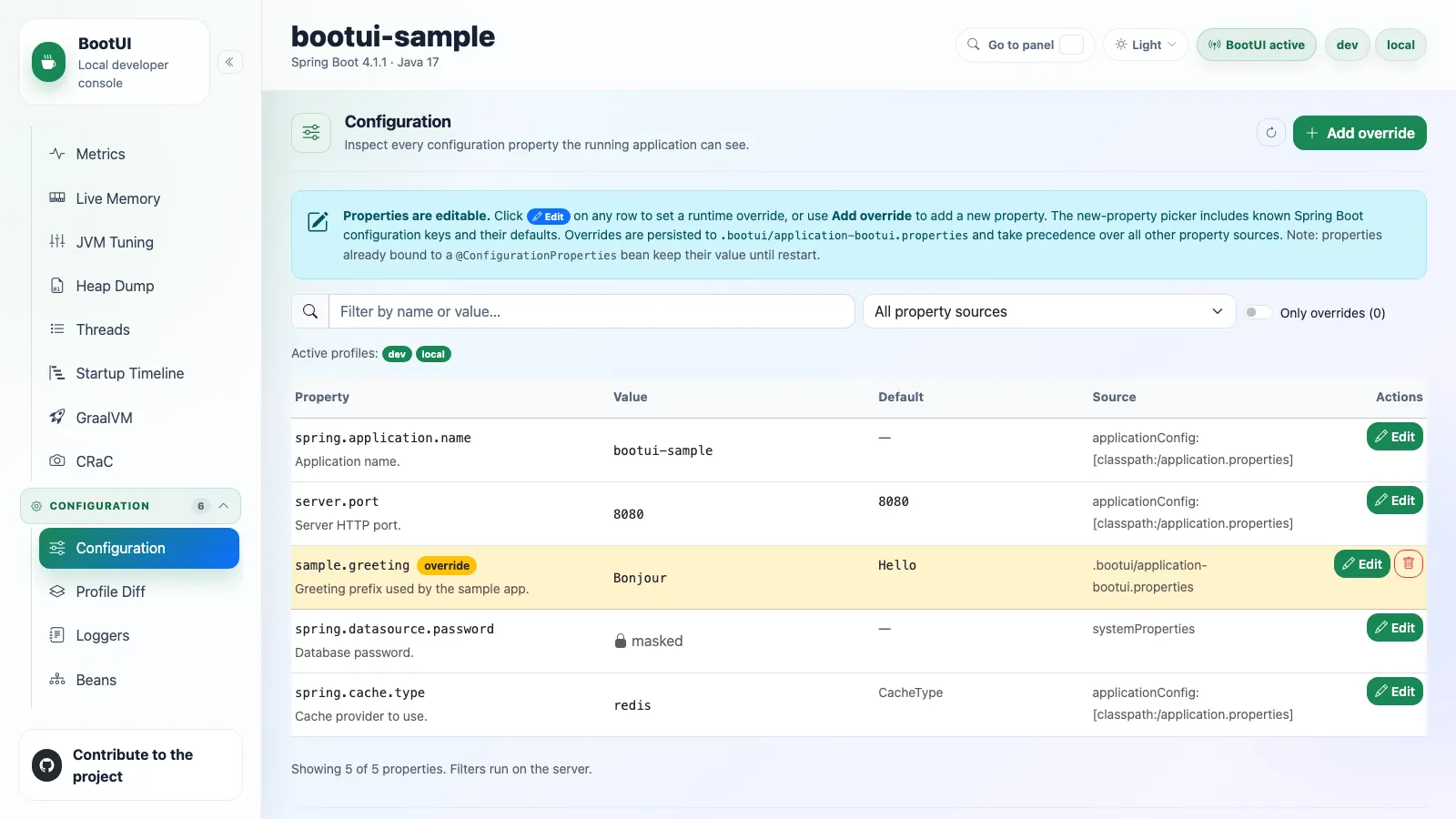
The Configuration panel shows the effective configuration properties, their sources, their metadata descriptions, their defaults when known, the active profiles, and masked values. It can also create, update, and delete local runtime overrides persisted to .bootui/application-bootui.properties, showing the restart and rebinding caveats with every mutation.
Large property tables load in bounded server-side pages, with filters for search, source, and overrides only. Each page reports the total property count and the matched count separately, so a search that narrows to nothing reads as an empty result rather than an empty inventory.
Search matches property names through relaxed binding: _ and - are treated as ., and case is ignored. Searching for bootui.mcp.enabled therefore also finds a value supplied as BOOTUI_MCP_ENABLED, which both Spring and Quarkus enumerate under that literal name. Values, descriptions, and defaults are matched literally, and every row reports the name and source its property source gave.
The override property-name picker narrows the same way. Typing BOOTUI_MCP suggests bootui.mcp.enabled, and each suggestion carries the canonical dotted name, so accepting one writes a name the framework binds rather than the environment spelling you typed.
Profile Diff
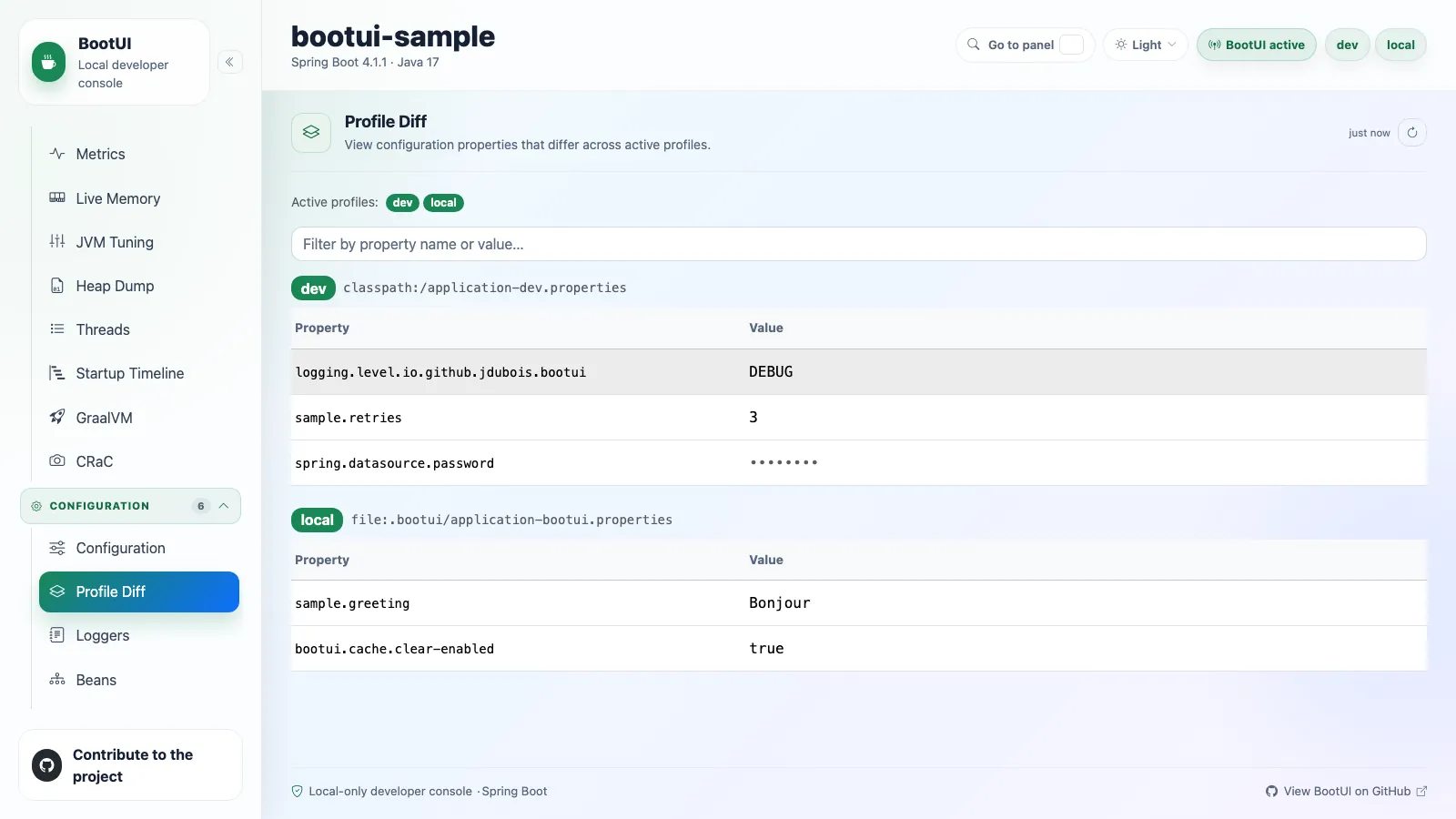
The Profile Diff panel compares profile-specific property sources and values, which is how you see what actually changes between local development profiles. Browser-visible names and values still pass through BootUI's secret masking.
Loggers
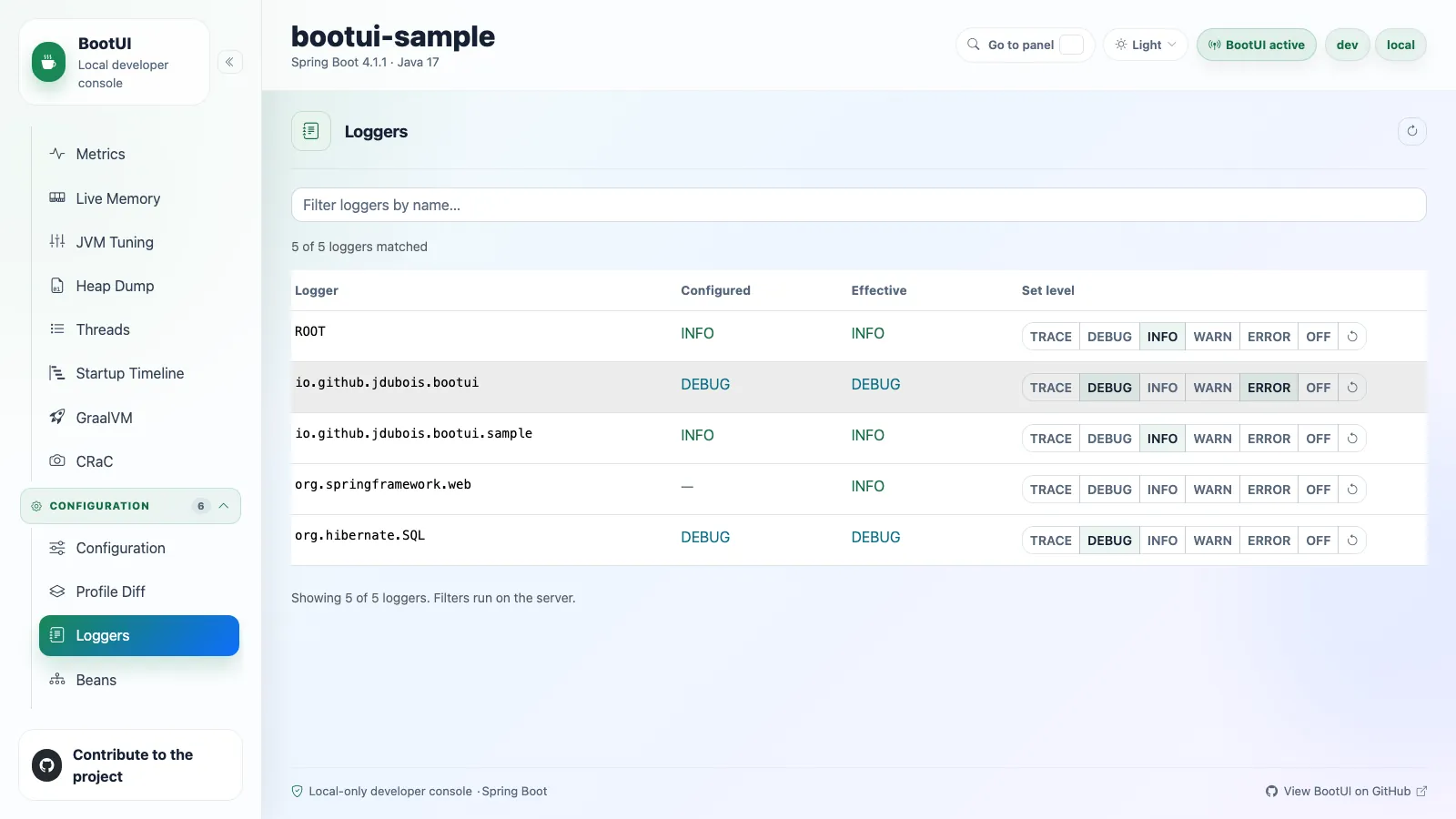
The Loggers panel lists the runtime logger configuration with configured and effective levels, and can update or clear levels without restarting the application. Large logger lists load in bounded pages, while filtering searches the full logger set on the server.
On Spring Boot the panel reads Actuator's loggers endpoint. On Quarkus it reads the JBoss LogManager, enumerates the live loggers, maps their levels onto the same vocabulary (OFF, FATAL, ERROR, WARN, INFO, DEBUG, TRACE), and applies changes to the running JVM. On both platforms, BootUI refuses to change the level of its own loggers.
Beans
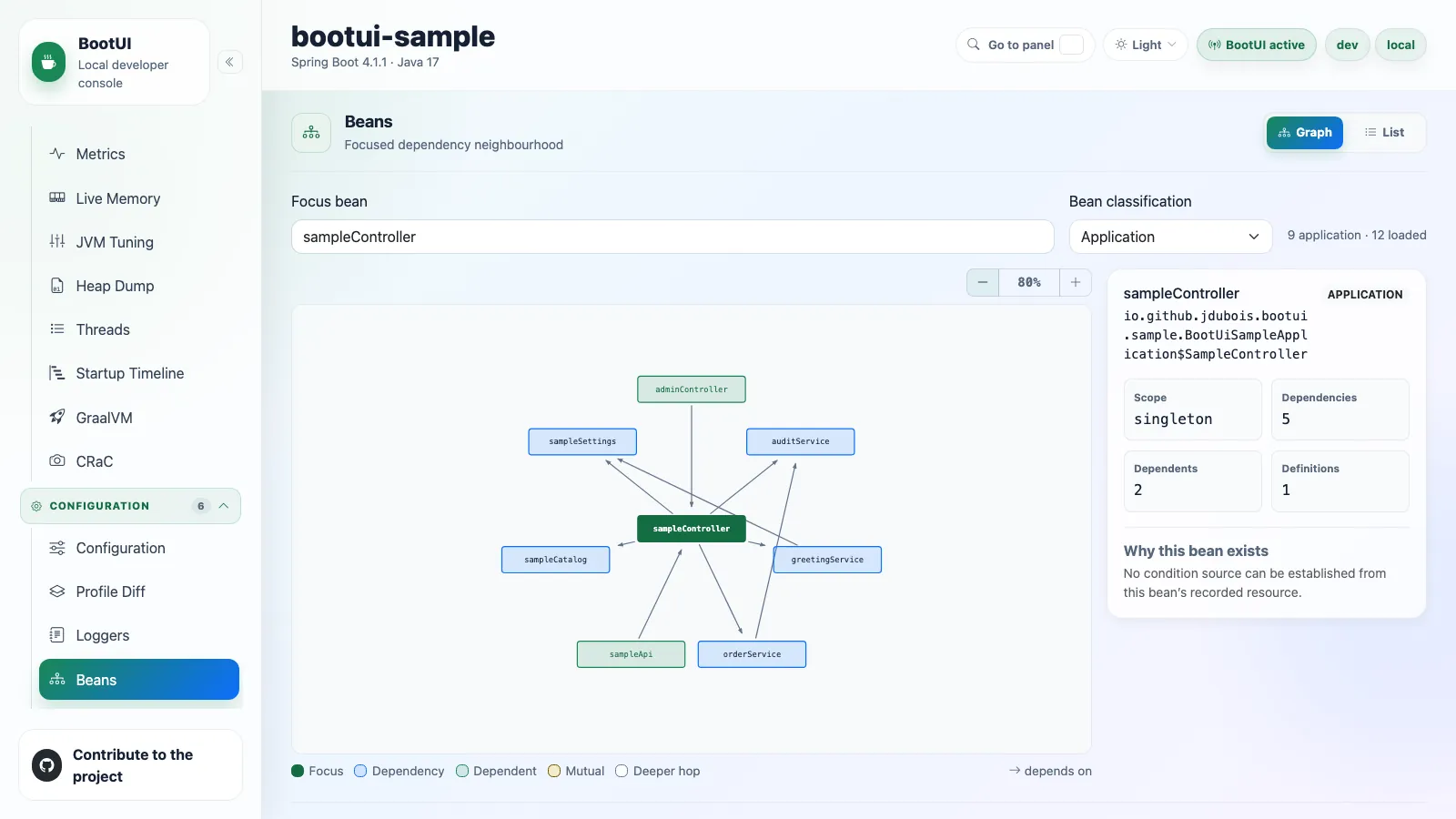
The Beans panel answers which application-managed beans exist, how they are connected, and where they came from. A Graph/List control switches between the dependency visualization and the server-paged inventory. Both support server-side search across bean names and types, and both classify beans as application, Spring framework, Java or Jakarta, and other beans.
BootUI's own beans are hidden by default. Set bootui.monitoring.exclude-self=false to classify them separately as BootUI beans, which also adds that filter option.
Dependency graph mode
The panel opens on the dependency neighbourhood graph. On first open it focuses the connected application bean with the most direct dependencies and dependents, breaking ties alphabetically. A search field accepts a bean name, an alias, or a unique type match, and a classification control switches the graph between Application, Framework, BootUI, Platform, Other, and all beans. Clicking any node re-focuses the graph on that bean.
A details area for the focused bean shows its type, scope, resource, aliases, definition count, and direct relationship counts. When a Spring bean's recorded classpath resource establishes an exact configuration class, the panel queries the Conditions endpoint and shows the matching class or method-level evidence under Why this bean exists. Missing, disabled, failed, or unmatched Conditions data is reported as such rather than inferred.
Graph rendering, limits, and accessibility
Graph mode fetches beans in bounded 1 000-row pages, up to a 2 000-bean client-side inventory. Beyond that, the panel reports both the loaded and the total count. Focus search starts with Application beans selected, and the selected classification applies to both focus choices and rendered neighbours.
The concentric-ring SVG places the focused bean at the centre, its direct dependencies in blue, its direct dependents in green, mutual and cycle nodes in amber, and deeper-hop nodes in grey, up to three hops and sixty nodes. Zoom controls scale the graph from 60 % to 200 %. When a limit is reached, a notice names the bound and invites you to re-focus. Duplicate bean names are combined deterministically and explained rather than silently dropped.
Graph and list use separate loading paths: opening the graph does not fetch the list, and switching to the list loads it once. Each bean name in the list links back to its focused graph and selects that bean's classification. Keyboard navigation uses one graph tab stop, arrow, Home, and End movement between nodes, and Enter or Space to re-focus. All nodes carry visible focus rings and aria-label attributes with the full bean name. The layout is static, and its role colours meet contrast requirements in both themes.
On Quarkus the panel looks the same. The adapter enumerates beans from the live Arc/CDI container instead of Actuator, filters out BootUI's own beans, and classifies with Quarkus-aware prefixes (io.quarkus., io.vertx., org.jboss.). Some fields have reduced fidelity because Arc does not expose them at runtime: the defining resource is empty, the scope uses the CDI vocabulary (ApplicationScoped, Singleton) rather than Spring's, and unnamed beans get a synthetic decapitalized class name. The inventory also reflects only the beans Arc retains, since Arc removes unused beans at build time.
How Quarkus dependency edges are captured
Arc resolves injection points during augmentation rather than exposing its wiring model at runtime. The deployment adapter therefore captures the retained beans' resolved injection edges after Arc validation and emits them as a generated classpath resource. The runtime adapter overlays those edges on the live CDI inventory, which gives graph mode the same BeanSummary.dependencies contract as Spring.
Conditions
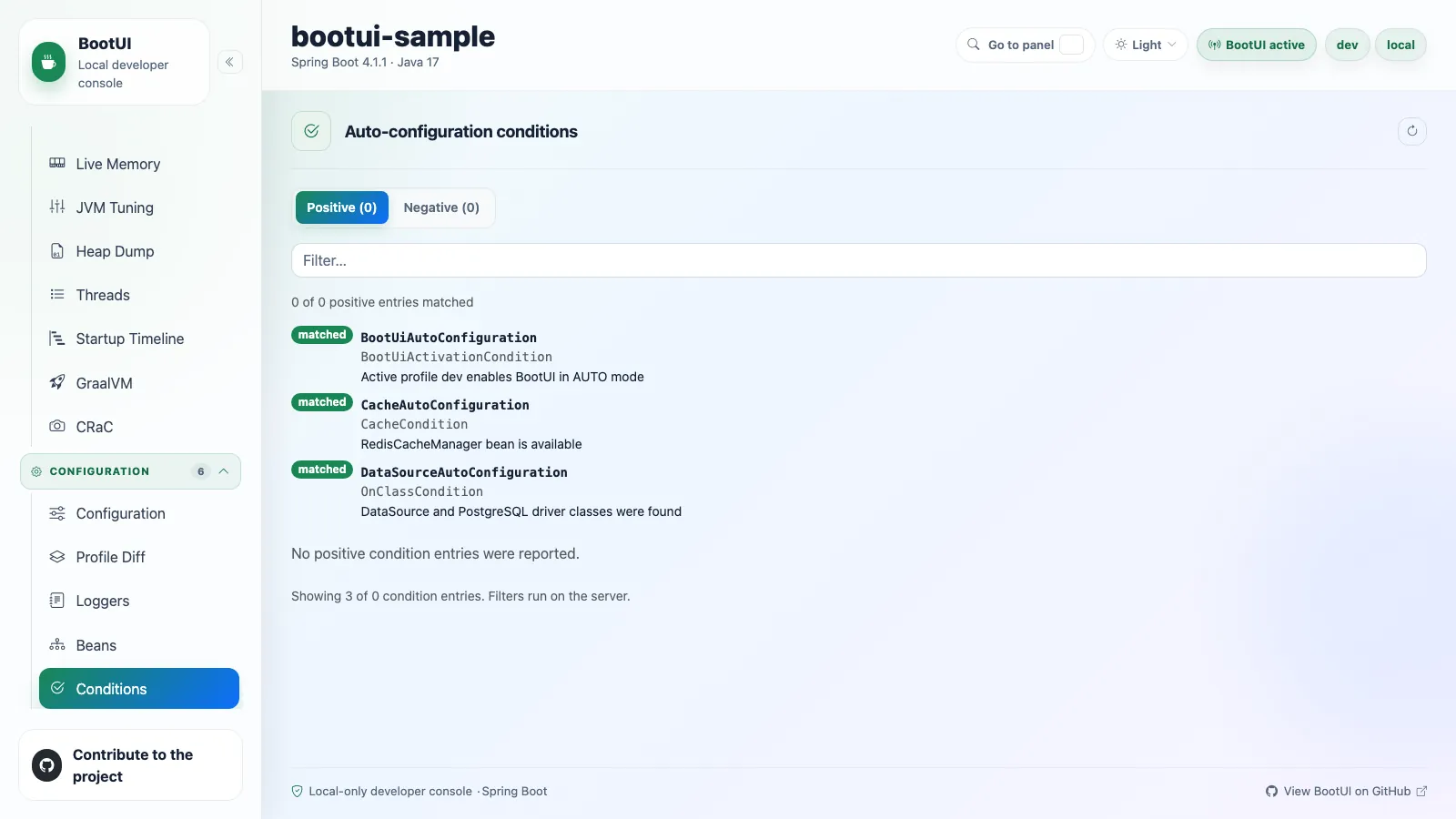
The Conditions panel explains Spring Boot auto-configuration decisions. It groups positive matches, negative matches, and unconditional classes, so you can see why an auto-configuration applied or why it was skipped. Large reports load in bounded pages, and filtering runs on the server.
Mappings
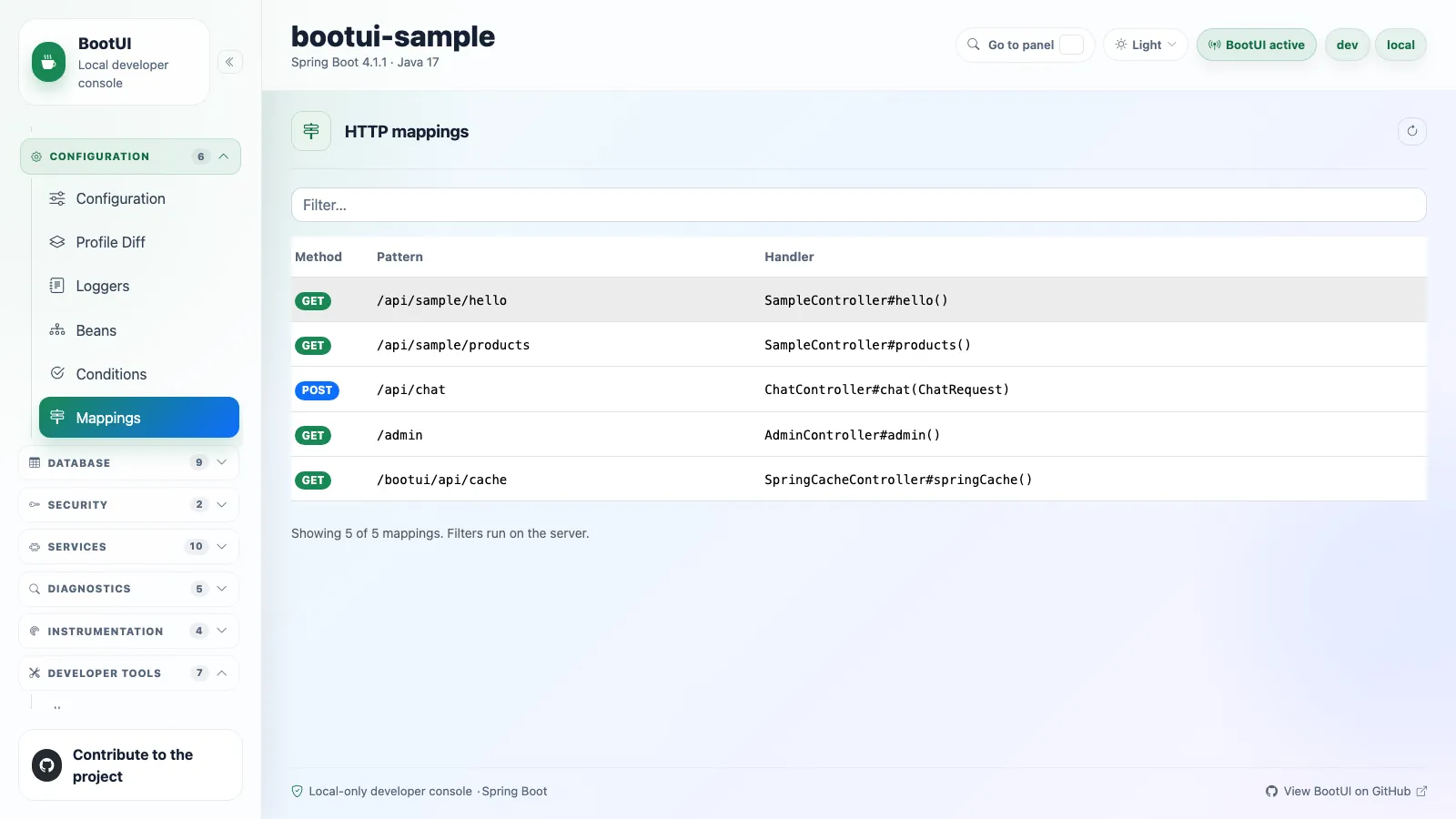
The Mappings panel lists the HTTP routes of the running application with their request methods, path patterns, handlers, and produces and consumes metadata, so you can see the web surface without reading controllers. Large lists load through a stable paged DTO, and the filter searches every discovered route on the server. BootUI's own /bootui routes are filtered out while bootui.monitoring.exclude-self is on, which is the default.
The route table comes from Actuator's mappings data on Spring Boot and from the JAX-RS resource table on Quarkus.
Why Quarkus scans the Jandex index
Vert.x exposes no runtime route-enumeration API that carries the per-route method and the produces and consumes metadata this panel renders. The adapter therefore scans the application's JAX-RS resources from the build-time Jandex index and maps each resource method onto the same paged DTO. quarkus-rest is a hard dependency of the BootUI extension, so the panel is available on both frameworks.